🔎 Browsing and Search
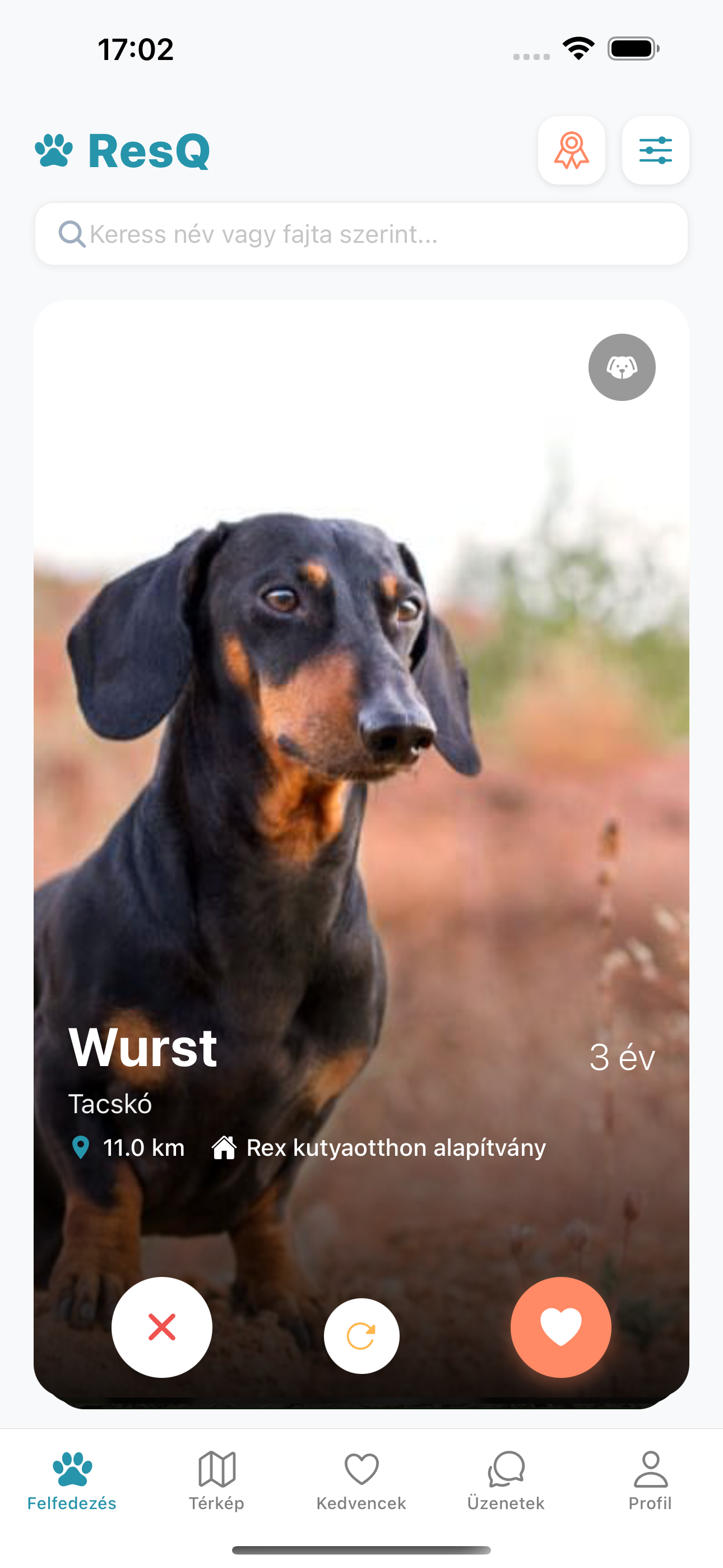
Discover animals waiting for a new home easily on the ResQ main screen.
- Swipe Right: Like (Add to Favorites).
- Swipe Left: Pass (Show next).
- Details: Tap on the card to open the detailed profile.
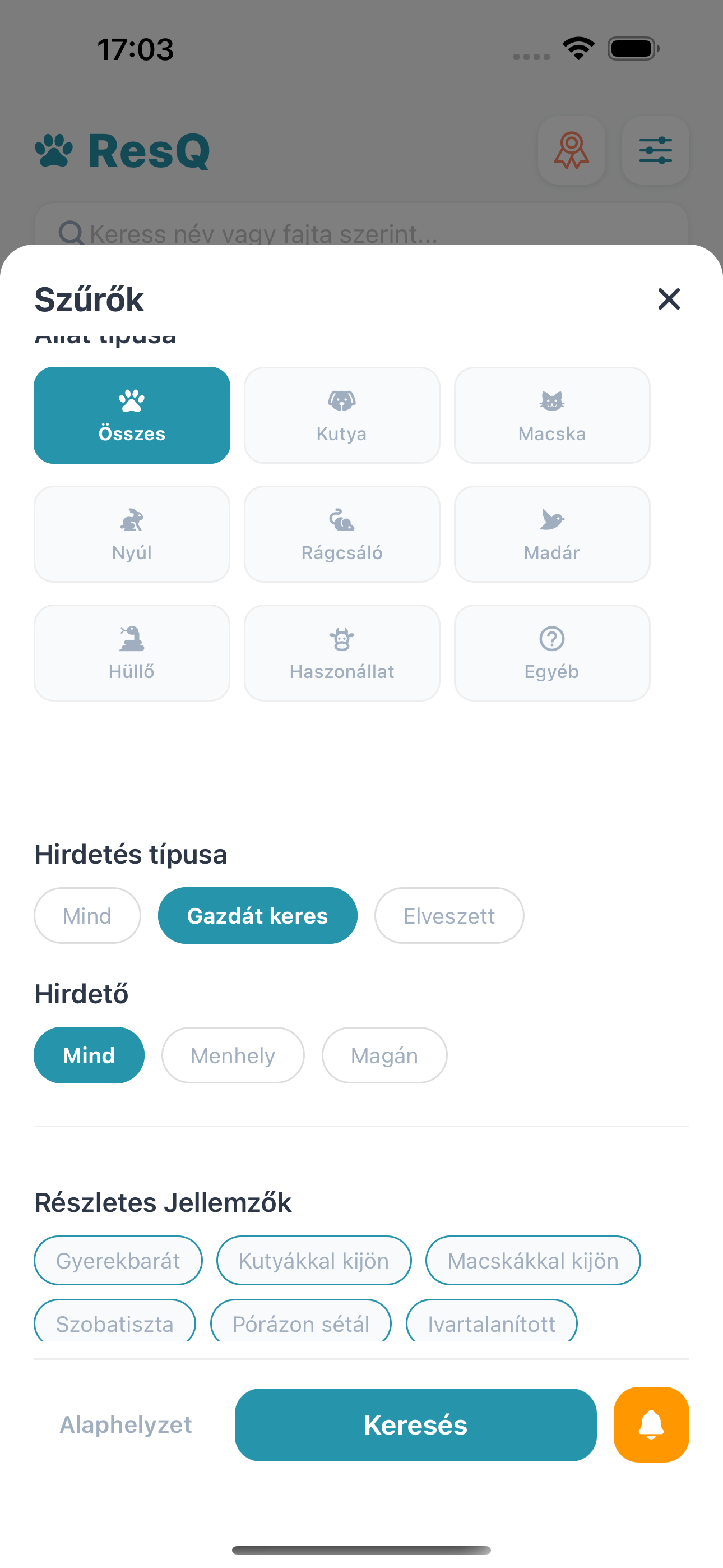
Filtering
Tap the filter icon in the top right corner. Here you can set preferences for animal type, age, and distance.
📝 Adoption Profile
To apply for an animal, you need to complete your "Adoption CV".
- Go to the Profile tab.
- Select Edit Adoption Profile.
- Honestly answer the questions regarding your living conditions and experience.
Shelters will see this profile when you apply for an animal. The more detailed it is, the better your chances!
💬 Application and Chat
If you found an animal you like:
Press the "Apply" button on their profile. The shelter will be notified, and if they find you suitable, they will contact you via the in-app Messages section.
💻 Web Partner Portal & Batch Upload
We know administration takes time, so we created a convenient Partner Portal accessible from your computer.
- Desktop Access: After registering in the mobile app, log in to our website's Partner Portal to manage your animals on a larger screen.
- CSV Batch Upload: You don't have to add animals one by one! Upload a CSV file, and the system will create profiles for all of them at once.
- 100% Free: The service is completely free and unlimited for shelters and rescue organizations.
🏠 The Dashboard
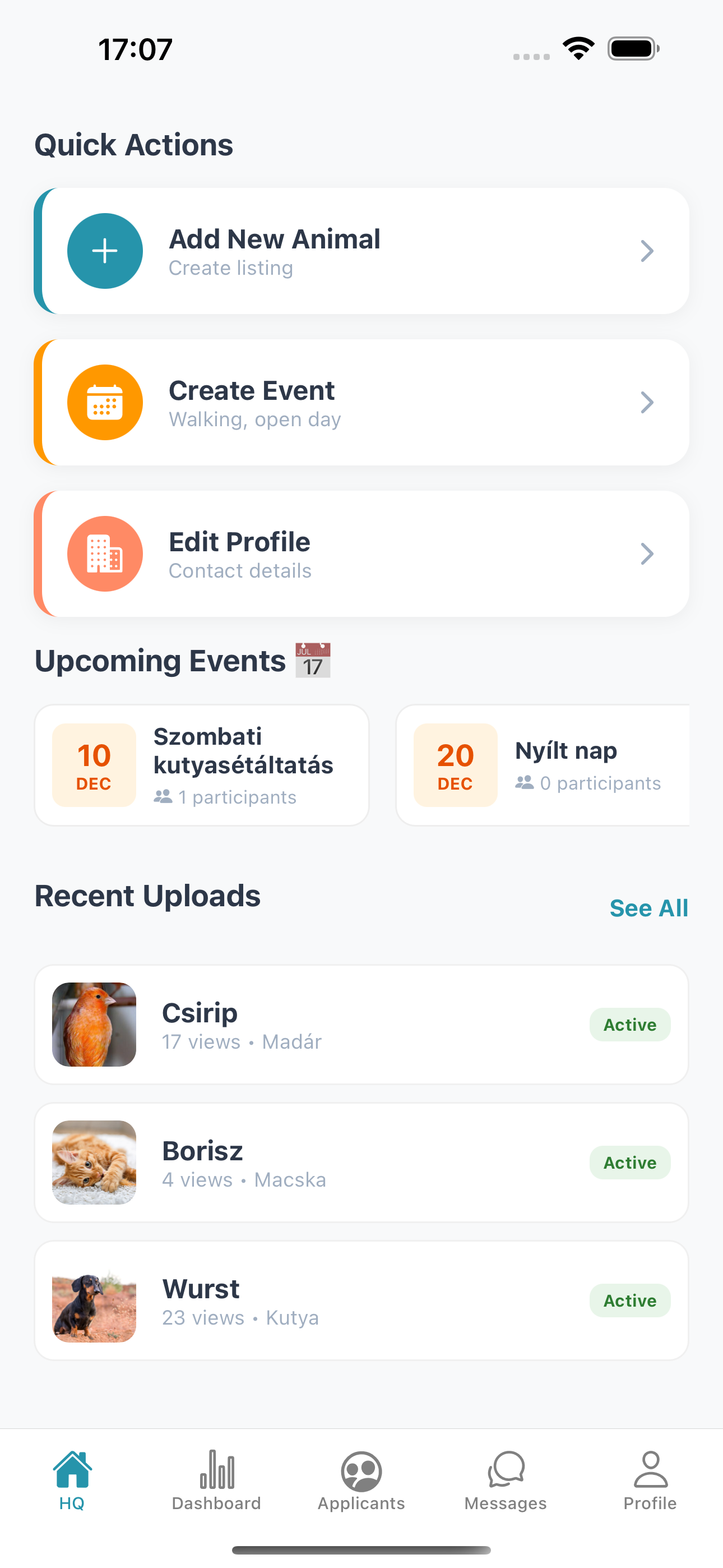
After logging in, you'll see your most important daily tasks on the Dashboard.
- Statistics: See how many active listings you have and how many applications they received.
- Quick Actions: Add a new animal with a single tap.
🐾 Adding a New Animal
Uploading animals is fastest via the web portal (especially with bulk upload), but can also be done on mobile, even on the go.
- Click the + Add button.
- Upload high-quality photos (the first one will be the cover image!).
- Enter basic details (Name, Breed, Age).
- Set characteristics (e.g., Neutered, Vaccinated).
📋 Managing Applicants
On the "Applicants" tab, you can see everyone interested in your animals.
- Click on an applicant's name to view their Detailed Profile.
- Here you can review their living conditions and previous experience.
- Use the Start Chat button to message them directly within the app.
🛠 Need Help?
If you encountered a technical issue or have questions about the app, contact us directly.
Official Support: support@resqapp.eu
Response time: 24-48 hours on business days.